Daily Diary
A column per chair, hour by hour. Tap a booking to mark it done, take a walk-in, or drag it to a new time. Works on the phone in your pocket.
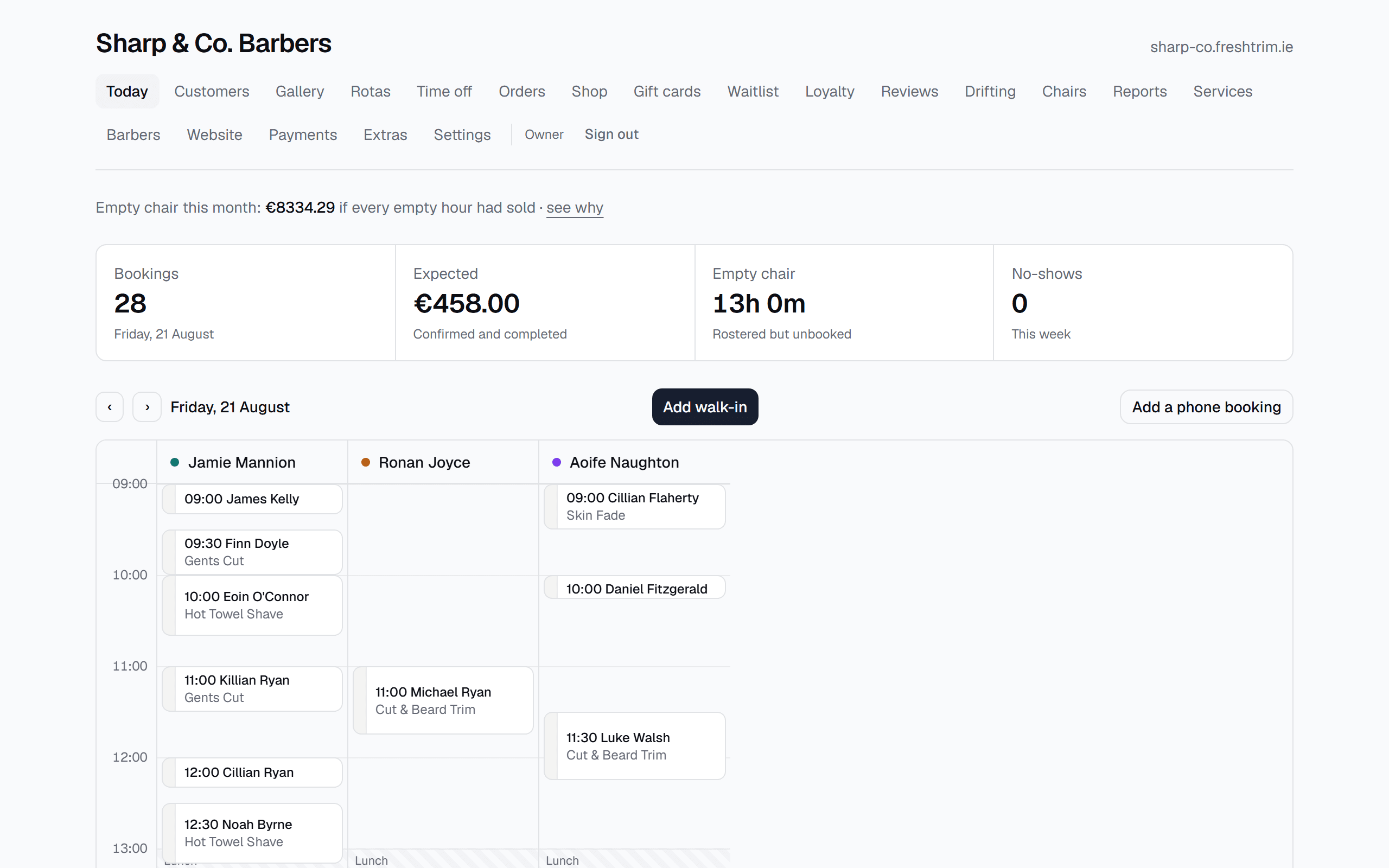
A column per chair
The day laid out the way a barber reads it: a column for each chair, the hours down the side, and every booking in its slot. Times are shown in your shop’s timezone, not the viewer’s, so a booking looks the same on the shop iPad as it does on your phone at home.
One tap per thing you actually do
Mark complete, no-show, move, or cancel and notify. They are four separate actions, not one status dropdown, because they are not interchangeable: completing settles the payment, a no-show adds to a counter on that customer’s record, and cancelling writes to the customer. A no-show sends no email, because telling somebody they did not turn up is a fight rather than a service message.
Walk-ins and phone bookings
The person at the counter comes first. Add them straight onto the day without a customer record, an email address or a card. Same for the regular who rings. Neither carries a fee on any plan.
Moving a booking
Drag it by the grip on the left edge, or pick a new slot from a list. It is the same underlying change either way. Drops snap to your own slot length and round to the nearest slot, so a small nudge leaves a booking where it was instead of shifting somebody’s haircut by a quarter of an hour.
The rest of it
Booking Page
Your name, your colour, your hours, your address with directions, your Instagram. Send the link, put it in your bio, or drop two lines into the site you already have.
Reminders
A confirmation with a calendar invite the moment they book, and a reminder before the appointment. Cancel the booking and the reminder cancels itself.
Deposits & Payments
Take a deposit or the full price when they book. Cards handled by Stripe, paid straight into your account. We never hold your money.
Rotas & Holidays
Two-week rotas, one-off changes, and a chair renter’s own hours. Irish bank holidays are already in, and a closed sign goes up when you are away.
Reports
Seven numbers you would act on. Takings, who earned them, what sells, no-shows, your busiest hours, new against returning, and the hours a chair sat empty.
Waitlist
When a booking is cancelled, the slot is held for the first person in your queue and offered to them by text and email.
Loyalty Cards
Stamps are added automatically after every visit, and the reward applies itself at the next booking. Nothing to scan and nothing to hand out.
Product Shop
Sell your products on your booking page. Paid for online, collected in the shop, so there is no packing, no courier and no delivery date to promise.
Gift Cards
Sold from your booking page at any hour, paid straight into your account, and valid for the five years Irish law requires.
Your Website
A full website on your own address: hero photo, your story, your reviews, opening hours, a map, and a Book now button on every screen. Included in every plan.
Photo Gallery
Your best cuts on your homepage and on a page of their own. Upload from a phone and we handle the cropping, sizing and loading.
Google Reviews
One polite ask after each visit, sent to everyone, the way Google’s rules require. Anyone unhappy reaches you privately first.
Winback
FreshTrim learns how often each customer comes in and tells you the day somebody is overdue. Bring them back in one tap.
Chair Manager
Every renter gets a weekly statement built from real bookings: takings, rent due, and the cuts behind both, so the number is the same on both sides of the counter.